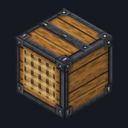

Bulk Crate
Crafting table, makes 4
- Stick ×6
- Iron ingot ×2
- Barrel ×1
Top row: Stick, Iron ingot, Stick. Middle row: Stick, Barrel, Stick. Bottom row: Stick, Iron ingot, Stick.
Store 32 stacks of one item in a single crate, then move it whole
Early access1 block and 1 itemBlock mod in Storage & inventory
In the Survival Essentials collection
Free on 13 November
Its free download opens here on 13 November, with no account needed.
Consoles and Java Edition can’t import packs.
Every ModChest mod is checked against the others, so no two use the same block, item or creature.
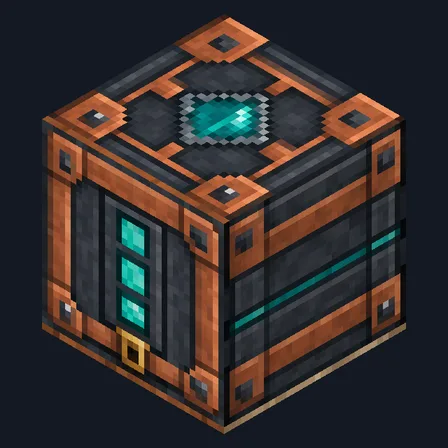
Craft 4 crates from sticks, iron and a barrel, and place one. Use it holding a stack to put that stack in. The first stack decides what the crate holds, up to 32 stacks: 2,048 cobblestone or logs, or 512 of something that stacks to 16, like ender pearls. Crouch and use it to put in every matching stack you carry at once. Use it with an empty hand or any other item to take out one stack. The action bar always shows the count, like “Bulk Crate: 1,280 Oak Log (20 of 32 stacks)”, and the crate’s front fills up a quarter at a time, so a wall of crates reads at a glance.
Break a crate with anything inside and it drops one Packed Bulk Crate that lists what it holds. Place that anywhere and the crate is back with everything still in it. An empty crate drops as an ordinary crate, and a crate with anything inside can’t be blown up. Only plain items that stack go in: tools, armor, buckets and anything named, enchanted or with lore stay with you. When your inventory is full, nothing comes out and nothing is dropped on the floor. Hoppers can’t fill or empty a crate and pistons can’t move one. A crate crafted on its own turns into an empty Packed Bulk Crate, which places as an ordinary crate. Empty your crates before removing the mod from a world.
Crafting table, makes 4
Top row: Stick, Iron ingot, Stick. Middle row: Stick, Barrel, Stick. Bottom row: Stick, Iron ingot, Stick.
Crafting table, in any arrangement
0.1.0
First release
Minecraft Bedrock shows its version number in the bottom-right corner of the main menu. Everything on ModChest is built for Bedrock 1.26.45 and newer, on Android, iPhone, iPad and Windows. If your number is lower, update Minecraft from the store you installed it from, then import the mod.
Where the file lands, how to open it with Minecraft, and what to do if the import fails.
Each has its own download.
Texture pack

Item mod
Gameplay mod

Item mod
Item mod
Item mod

Item mod
Item mod
Block mod

Item mod

Item mod

Item mod
Gameplay mod
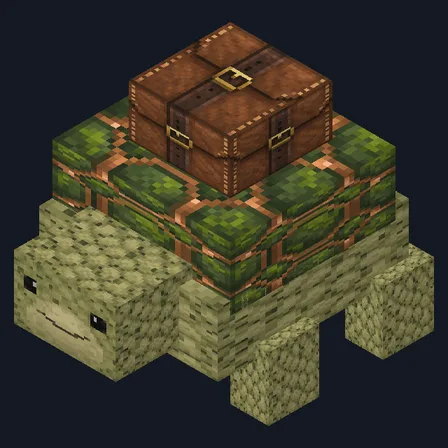
Mob mod
The ModChest app for Android, iPhone and iPad keeps a list of everything it sends to Minecraft, and shows when one has an update. About the app