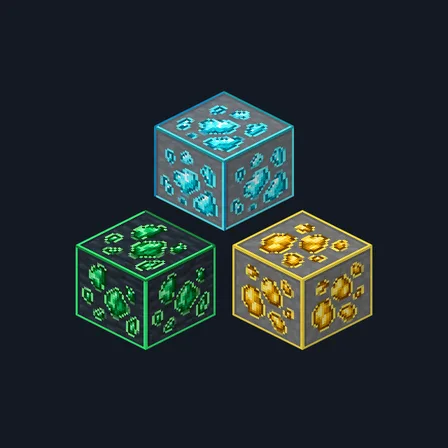
Framed Ores
Texture pack
Overworld ores as faceted cut jewels in stone and deepslate
Free16 texturesTexture pack in Natural & detailed
In the Survival Essentials collection
.mcpack file, 51 KB. Consoles and Java Edition can’t import packs.
Cut Gem Ores treats every Overworld ore as a cluster of cut jewels rather than rough mineral lumps. Each deposit is built from large angular facets with one bright highlight face and one darker shadow face, so coal reads as polished jet, iron as pale peach, copper as orange with verdigris edges, gold as warm bullion, redstone as scarlet, lapis as ultramarine, diamond as icy cyan and emerald as jade. Every mineral keeps a distinct silhouette so the eight stay apart at a glance, and all eight are drawn twice: once on neutral grey stone and once on dark charcoal deepslate. The facets are painted shading only. The pack does not make ores glow, brighten caves, reveal blocks through walls or change what anything drops. Nether gold, quartz and ancient debris keep their existing textures.
0.2.0
Updated
0.1.0
First release
Minecraft Bedrock shows its version number in the bottom-right corner of the main menu. Everything on ModChest is built for Bedrock 1.26.45 and newer, on Android, iPhone, iPad and Windows. If your number is lower, update Minecraft from the store you installed it from, then import the texture pack.
Where the file lands, how to open it with Minecraft, and what to do if the import fails.
Each has its own download.
Texture pack

Item mod
Gameplay mod

Item mod
Item mod
Item mod

Item mod
Item mod
Texture pack
Texture pack
Texture pack
Texture pack
Texture pack
Texture pack
Texture pack
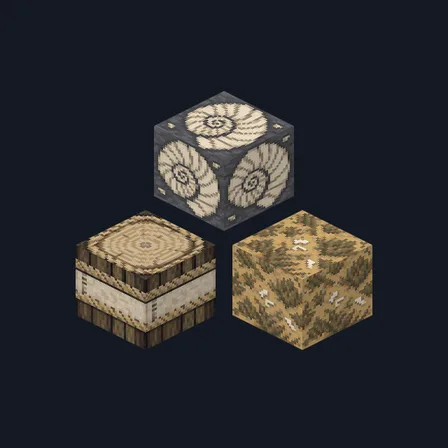
Texture pack
The ModChest app for Android, iPhone and iPad keeps a list of everything it sends to Minecraft, and shows when one has an update. About the app