
Glow Stick
Crafting table, makes 2
- Glowstone dust ×1
- Prismarine crystals ×1
- Stick ×1
1 wide and 3 tall, anywhere on the grid. Top row: Glowstone dust. Middle row: Prismarine crystals. Bottom row: Stick.
Carry a torch or lantern and the cave lights up around you as you walk
FreeGameplay mod in Mining & gathering
.mcaddon file, 183 KB. Consoles and Java Edition can’t import packs.
Every ModChest mod is checked against the others, so no two use the same block, item or creature.
Pick up a torch, a lantern, a block of glowstone or any of the 28 vanilla light sources this mod knows, and hold it: the space around you lights up just as if you had placed it, and the light follows you about 10 times a second. Each light shines at its own placed brightness: 15 for lanterns, glowstone, sea lanterns, shroomlights, froglights, jack o'lanterns, campfires and lava buckets, 14 for torches, copper torches, end rods and glow berries, 10 for soul torches and soul lanterns, 7 for redstone torches. With a light in each hand, the brighter one wins.
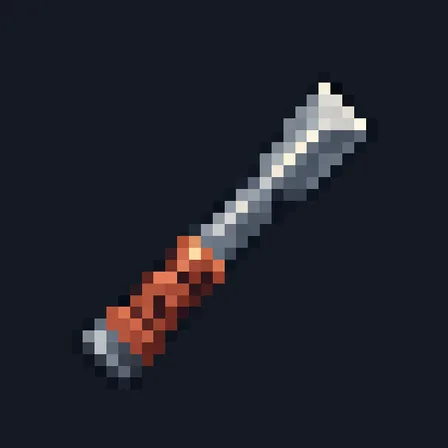
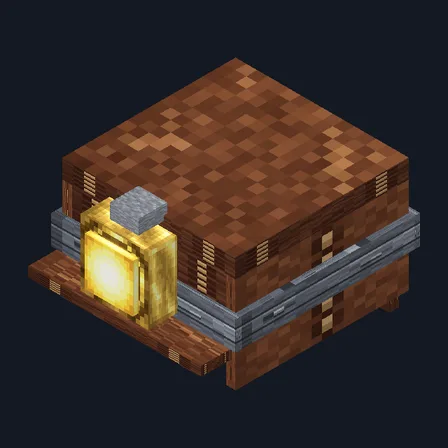
For diving, craft Glow Sticks: glowstone dust above prismarine crystals above a stick, in one column of a crafting table, makes 2. A Glow Stick shines at 15, the brightest there is, fits in the off hand beside a sword or a pickaxe, and, held in your main hand, keeps shining underwater, where every other held light goes dark. Swim on and the water it lit is left just as it was.
Throw a light-source item on the ground and it lights the floor where it lies until you pick it up or it despawns, so you can toss a torch down a shaft to see what is below. Dropped lights shine while a player is within 48 blocks, up to 64 of them at once.
The light only fills empty air, or still water for the Glow Stick: it never replaces plants, cobwebs, flowing water or any other block. Bedrock only lets a few items into the off hand, so most vanilla lights are held in the main hand; a light put in the off hand by a command also shines. If the world closes while a light is shining, it is cleared the next time that place is loaded.
Crafting table, makes 2
1 wide and 3 tall, anywhere on the grid. Top row: Glowstone dust. Middle row: Prismarine crystals. Bottom row: Stick.
0.1.0
First release
Minecraft Bedrock shows its version number in the bottom-right corner of the main menu. Everything on ModChest is built for Bedrock 1.26.45 and newer, on Android, iPhone, iPad and Windows. If your number is lower, update Minecraft from the store you installed it from, then import the mod.
Where the file lands, how to open it with Minecraft, and what to do if the import fails.

Item mod
Item mod
Block mod

Item mod
Item mod
Item mod

The ModChest app for Android, iPhone and iPad keeps a list of everything it sends to Minecraft, and shows when one has an update. About the app