Star Captain
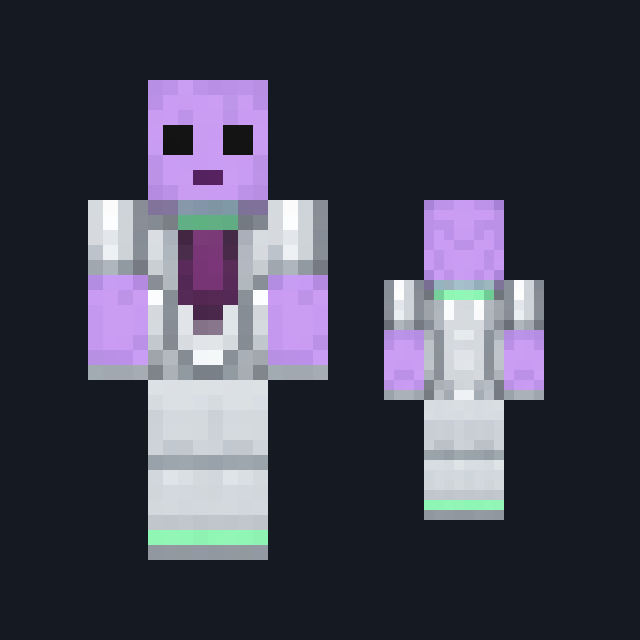
A deep indigo-violet double-breasted command tunic with sand-gold braid, a high slate collar, an invented mint-green shoulder mark, slate trousers and black boots with gold trim.
Take the bridge in a braided indigo command uniform
FreeSkin in Sci-fi & space and Adventure
.mcpack file, 12 KB. Consoles and Java Edition can’t import packs.
A deep indigo-violet double-breasted command tunic with sand-gold braid, a high slate collar, an invented mint-green shoulder mark, slate trousers and black boots with gold trim.
Classic arms are four pixels wide, like Steve’s; slim arms are three, like Alex’s. Pick whichever fits the outfit in the Dressing Room.
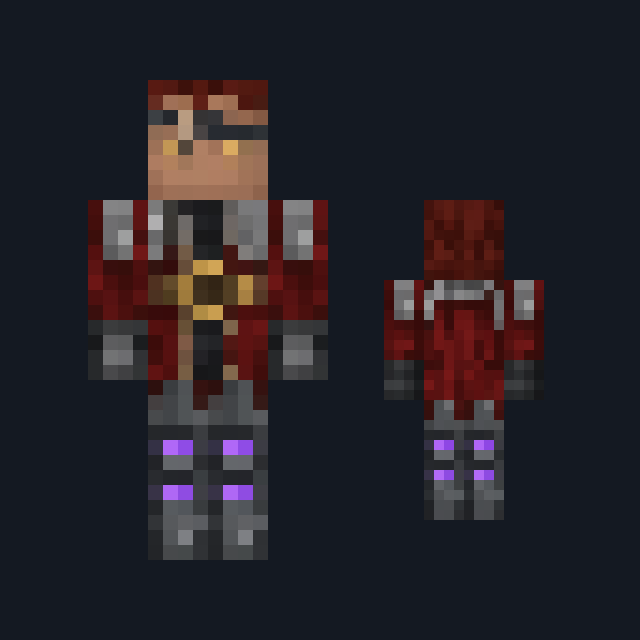
Star Captain wears a deep indigo-violet command tunic, double-breasted with sand-gold braid piping down the chest and around a high slate collar. A flat mint-green shoulder mark sits on the front of each shoulder, and two sand-gold rings band each cuff. Short copper-red hair is combed neatly over the head, pale-jade eyes read clearly at a glance, and pale slate-gray uniform trousers drop to polished black boots with a sand-gold trim band. It suits bridge roleplay, station builds and science-fiction adventures. This free Minecraft Bedrock .mcpack holds one outfit in classic and slim arm fits. The insignia is an invented mark, not the badge of any real or fictional fleet, and the skin changes how you look and nothing else: it gives no rank, no commands and no abilities.
0.1.0
First release
Minecraft Bedrock shows its version number in the bottom-right corner of the main menu. Everything on ModChest is built for Bedrock 1.26.45 and newer, on Android, iPhone, iPad and Windows. If your number is lower, update Minecraft from the store you installed it from, then import the skin.
Where the file lands, how to open it with Minecraft, and what to do if the import fails.
Skin

Skin

Skin

Skin
Skin

Skin
Skin
Skin
The ModChest app for Android, iPhone and iPad keeps a list of everything it sends to Minecraft, and shows when one has an update. About the app
