


Skip to content
Search in
backpack
furniture
ores
tools
animals
medieval
knight

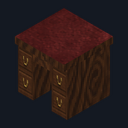
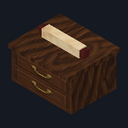
Inkwell Partners Desk

  • Drag to turn
  • ← → to turn
  • R to reset

Inkwell Study

Furnish a library study with 25 pieces that store, glow and turn

Early access25 blocksBlock mod in Furniture

In the Dream Rooms collection

Free on 11 December

Its free download opens here on 11 December, with no account needed.

Works with Minecraft Bedrock 1.26.45 and newer

  • Android
  • iPhone and iPad
  • Windows

Consoles and Java Edition can’t import packs.

Every ModChest mod is checked against the others, so no two use the same block, item or creature.

What’s inside

  • Inkwell Partners Desk
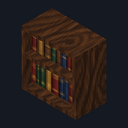
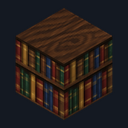
  • Inkwell Library Bookcase
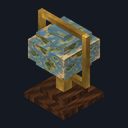
  • Inkwell Standing Globe
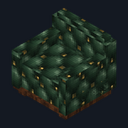
  • Inkwell Chesterfield Sofa
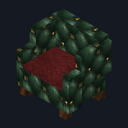
  • Inkwell Wingback Armchair
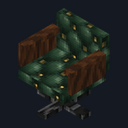
  • Inkwell Leather Desk Chair
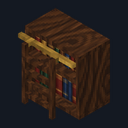
  • Inkwell Ladder Bookcase
  • Inkwell Bookshelf Wall
Show all 25 blocks
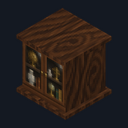
  • Inkwell Curio Cabinet
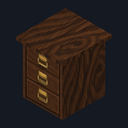
  • Inkwell Filing Cabinet
  • Inkwell Map Chest
  • Inkwell Banker's Lamp
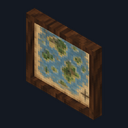
  • Inkwell Wall Map
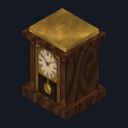
  • Inkwell Grandfather Clock
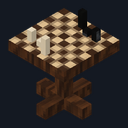
  • Inkwell Chess Table
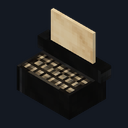
  • Inkwell Typewriter
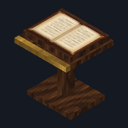
  • Inkwell Reading Lectern
  • Inkwell Book Stack
  • Inkwell Candle Desk Set
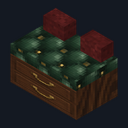
  • Inkwell Window Bench
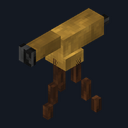
  • Inkwell Brass Telescope
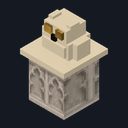
  • Inkwell Owl Bust
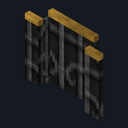
  • Inkwell Fireplace Screen
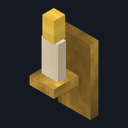
  • Inkwell Wall Sconce
  • Inkwell Scroll Basket
Mod version
1.0.3
Updated
September 2026

What it does

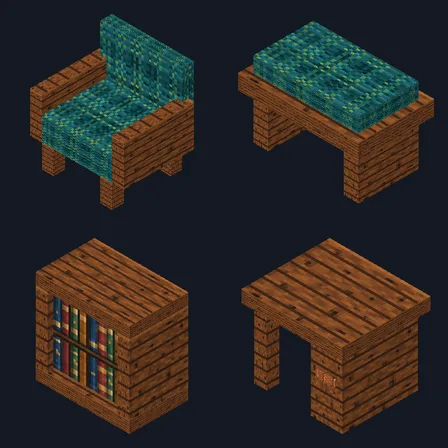
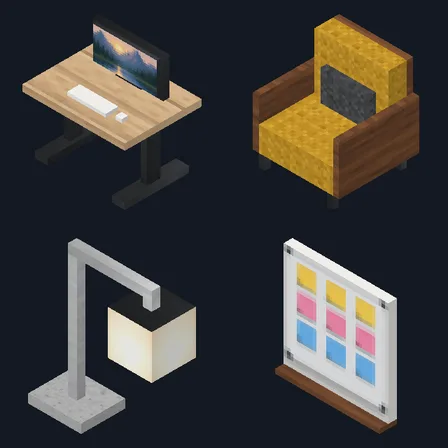
Set a partners desk and leather desk chair under a wall map, line the walls with library bookcases, a ladder bookcase and Inkwell Bookshelf Wall, and gather a Chesterfield sofa, wingback armchair and window bench around a chess table. A grandfather clock, curio cabinet, standing globe, brass telescope, owl bust, fireplace screen and reading lectern finish the room, while the typewriter, book stack, candle desk set and scroll basket dress up a desk or shelf. Every piece turns to face you when you place it and drops itself when broken.

Read more

The desk, library bookcase, filing cabinet and map chest store 27 stacks each: use one while holding a plain stick to put away every stack in your main inventory, or with anything else to take them back. Your hotbar is never touched. Use the standing globe to turn it to the next of 4 views, and the wall map to show the next of 4 maps of the same world. The banker's lamp, candle desk set and wall sconce start lit; use one to put it out or light it again. The sofa, armchair, desk chair and window bench seat 1 player each; crouch to stand up. Breaking a storage piece drops everything inside it. The bookcases don't boost enchanting, the typewriter and telescope are for decoration, and pistons can't move storage pieces or seats.

  • 25 study pieces, each placeable facing 4 directions
  • 4 storage pieces holding 27 stacks each
  • 4 seats: Chesterfield sofa, wingback armchair, desk chair and window bench
  • Standing globe with 4 views and a wall map with 4 maps
  • 3 lights that switch on and off, up to light level 14
  • 4 bookshelf wall blocks from each craft

How to install Inkwell Study

  1. Import the .mcaddon, then turn on both packs in your world's settings (Behavior Packs and Resource Packs). No experiments are needed. Needs Minecraft Bedrock 1.26.45 or later.
  2. Craft each piece at a crafting table. Every recipe includes an ink sac, green wool, a green carpet or an empty map, and appears in the recipe book once you pick up its main material: dark oak planks for the desk, chairs, sofa and clock, bookshelves for the bookcases, and an empty map for the globe and wall map.
  3. Each piece faces you when you place it, so stand on the side its front should face. To turn a piece later, break it and place it again.
  4. Use a piece (right-click on Windows, tap on touch screens) to work it: sit on a seat, turn the globe, change the map, or switch a lamp, candle or sconce. Crouch to stand up from a seat.
  5. Hold a plain stick and use the desk, library bookcase, filing cabinet or map chest to store the stacks in your main inventory. Use it with an empty hand or any other item to take them back; whatever doesn't fit stays inside.
  6. Crouch when you place a block against a piece, so you don't use the piece instead.
How to craft all 25 pieces
  • Inkwell Banker's Lamp

    Crafting table, in any arrangement

    • Gold ingot, 1
    • Green stained glass, 1
    • Glowstone dust, 1
    • Green carpet, 1
  • Inkwell Book Stack

    Crafting table, in any arrangement

    • Book, 3
    • Ink sac, 1
  • Inkwell Bookshelf Wall

    Crafting table, in any arrangement, makes 4

    • Bookshelf, 2
    • Ink sac, 1
  • Inkwell Chess Table

    Crafting table, in any arrangement

    • Dark oak slab, 1
    • Bone meal, 1
    • Ink sac, 1
    • Stick, 1
  • Inkwell Chesterfield Sofa

    Crafting table, in any arrangement

    • Dark oak planks, 2
    • Green wool, 3
    • Gold nugget, 1
  • Inkwell Curio Cabinet

    Crafting table, in any arrangement

    • Dark oak planks, 2
    • Glass pane, 2
    • Ink sac, 1
  • Inkwell Leather Desk Chair

    Crafting table, in any arrangement

    • Dark oak planks, 1
    • Green wool, 1
    • Iron ingot, 1
    • Stick, 1
  • Inkwell Candle Desk Set

    Crafting table, in any arrangement

    • Feather, 1
    • Ink sac, 1
    • Glass bottle, 1
    • Gold nugget, 1
    • Torch, 1
  • Inkwell Filing Cabinet

    Crafting table, in any arrangement

    • Dark oak planks, 2
    • Chest, 1
    • Paper, 1
    • Ink sac, 1
  • Inkwell Fireplace Screen

    Crafting table, in any arrangement

    • Iron bars, 3
    • Ink sac, 1
  • Inkwell Grandfather Clock

    Crafting table, in any arrangement

    • Clock, 1
    • Dark oak planks, 3
    • Ink sac, 1
  • Inkwell Ladder Bookcase

    Crafting table, in any arrangement

    • Bookshelf, 1
    • Ladder, 1
    • Ink sac, 1
  • Inkwell Library Bookcase

    Crafting table, in any arrangement

    • Bookshelf, 2
    • Chest, 1
    • Ink sac, 1
  • Inkwell Map Chest

    Crafting table, in any arrangement

    • Chest, 1
    • Empty map, 1
    • Dark oak slab, 2
  • Inkwell Owl Bust

    Crafting table, in any arrangement

    • Chiseled stone bricks, 1
    • Feather, 1
    • Ink sac, 1
  • Inkwell Wingback Armchair

    Crafting table, in any arrangement

    • Dark oak planks, 1
    • Green wool, 3
  • Inkwell Window Bench

    Crafting table, in any arrangement

    • Dark oak slab, 3
    • Green carpet, 1
  • Inkwell Reading Lectern

    Crafting table, in any arrangement

    • Lectern, 1
    • Book, 1
    • Ink sac, 1
  • Inkwell Scroll Basket

    Crafting table, in any arrangement

    • Paper, 2
    • Empty map, 1
    • String, 1
  • Inkwell Standing Globe

    Crafting table, in any arrangement

    • Empty map, 1
    • Dark oak planks, 1
    • Gold ingot, 1
    • Stick, 1
  • Inkwell Brass Telescope

    Crafting table, in any arrangement

    • Spyglass, 1
    • Stick, 3
    • Empty map, 1
  • Inkwell Typewriter

    Crafting table, in any arrangement

    • Iron ingot, 2
    • Paper, 1
    • Ink sac, 1
    • Stone button, 1
  • Inkwell Wall Map

    Crafting table, in any arrangement

    • Empty map, 1
    • Frame, 1
  • Inkwell Wall Sconce

    Crafting table, in any arrangement

    • Gold nugget, 2
    • Torch, 1
    • Ink sac, 1
  • Inkwell Partners Desk

    Crafting table, in any arrangement

    • Dark oak planks, 3
    • Chest, 1
    • Ink sac, 1
What changed
  1. 1.0.3

    A seat or storage piece that stopped working after /kill or a session with the pack off works again ten seconds later

  2. 1.0.2

    Updated

  3. 1.0.0

    First release

Which version do I have?

Minecraft Bedrock shows its version number in the bottom-right corner of the main menu. Everything on ModChest is built for Bedrock 1.26.45 and newer, on Android, iPhone, iPad and Windows. If your number is lower, update Minecraft from the store you installed it from, then import the mod.

Step-by-step for your device

Where the file lands, how to open it with Minecraft, and what to do if the import fails.

More in Dream Rooms

Furnish eight themed rooms with pieces you can really use. Each has its own download.

The ModChest app for Android, iPhone and iPad keeps a list of everything it sends to Minecraft, and shows when one has an update. About the app